RSSMonster
RSSMonster is a self-hosted RSS reader for people who enjoy following their own sources. Read chronologically, organize subscriptions, and save useful articles. With optional AI processing, you can also explore related coverage, follow ongoing stories, and rank articles by quality or personal interest.
Start reading
- Get Started → — Installation and first steps.
- Run the Desktop App → — Read locally with Electron and SQLite.
- See It In Action → — Reading modes and mobile layouts.
- Deep Dive → — How it all works.
Install RSSMonster, create your account, and add feeds or import an OPML file. The default SQLite Docker deployment provides a lightweight reader. Use the MySQL deployment with inference and its AI worker for background analysis and semantic features; these are not enabled by default in the SQLite quick start.
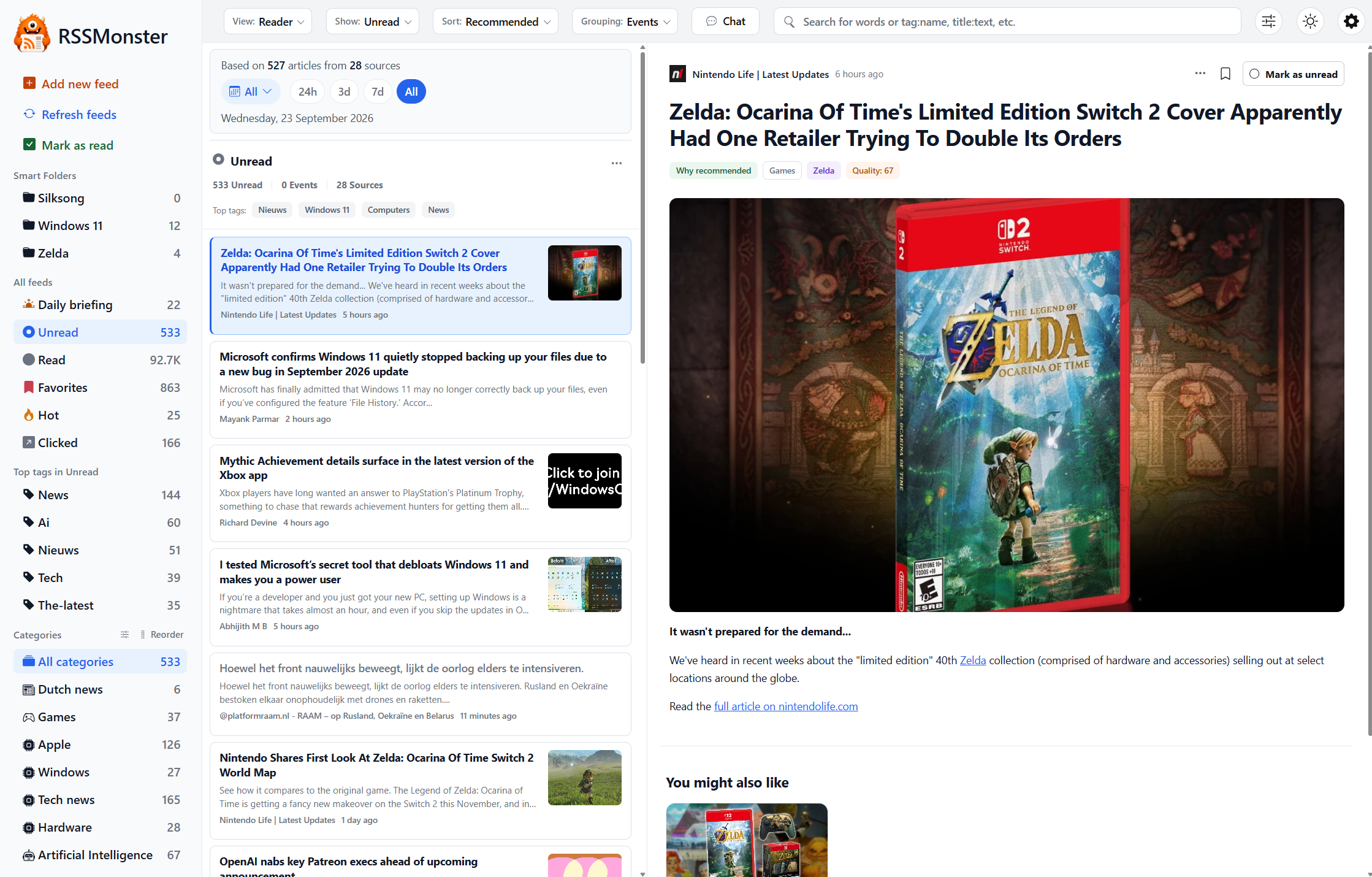
Choose Expanded, Reader, Summarized, Summary Bullets, or Headlines to suit your reading session and screen. Bookmarks, keyboard shortcuts, and configurable read behavior help you work through your subscriptions.
Find and organize
- Search: combine words with filters such as
title:javascript @today quality:>0.7. - Smart Folders: save a search as a reusable view.
- Hot Articles: find recent articles linked to by other articles in your subscriptions.
- Tags: organize articles using publisher, feed, generated, or rule-based labels.
- Actions: automatically bookmark, mark read, tag, score, or hide incoming articles.
- Official Feeds: recognize articles from organization domains you configure.
- Feed item filters: decide which future entries a subscription accepts.
- HTML + XPath feeds: follow sites without a usable syndication feed.
- Generated feeds: publish a saved selection at a revocable, token-protected RSS URL.
Explore optional intelligent features
Quality, Recommended, and Top Stories provide different ways to order your reading. FeedTrust explains how source history contributes to those rankings. Events collect coverage of a particular story; Interest Islands use reading feedback to model recurring interests. Similar coverage is not necessarily duplicate content, and a ranking score is not a fact check.
Daily Briefing offers a tunable recent collection and a source-based story overview. The assistant lets you ask questions about stored articles in natural language. Ordinary search uses the documented expression syntax; conversational requests belong in the assistant.
Use RSSMonster beyond the browser tab
Run RSSMonster as a desktop app with its own local SQLite database and manual feed refresh, without Docker or a separate server.
Install the web app and enable notifications, configure account recovery and briefing emails, or connect a Fever or Google Reader client. Developers can use the native API, authenticated RSS output, or MCP tools.
Self-hosting gives you control over storage and deployment. Optional external inference providers receive the content needed for enabled model requests; SMTP and browser Push delivery also use configured external services. Choose models and providers to match your deployment preferences.
Operate and understand your server
Use Server Settings to manage server-wide options and environment overrides from the administrator UI.
Start with Configuration and Administration for crawling, processing jobs, email, maintenance, and backups. Read How RSSMonster Works for the processing architecture, or Concepts for the distinctions behind the interface. The FAQ answers common questions about filtering and ranking.
For development setup, validation, and pull requests, read Contributing.
RSSMonster is open source under the MIT license.