Marking Articles Read
RSSMonster can update article read status automatically as you work through a collection. The behavior depends on the active view: continuous reading views can mark articles after you scroll past them, while Reader mode uses article selection changes as the completion signal.
You can also explicitly mark an article as read or unread at any time. An explicit choice takes precedence over automatic scroll tracking.
Mark as Read While Scrolling
The unread selection includes a Tune your unread selection action. Open it to configure Mark as read while scrolling, then select Save changes.
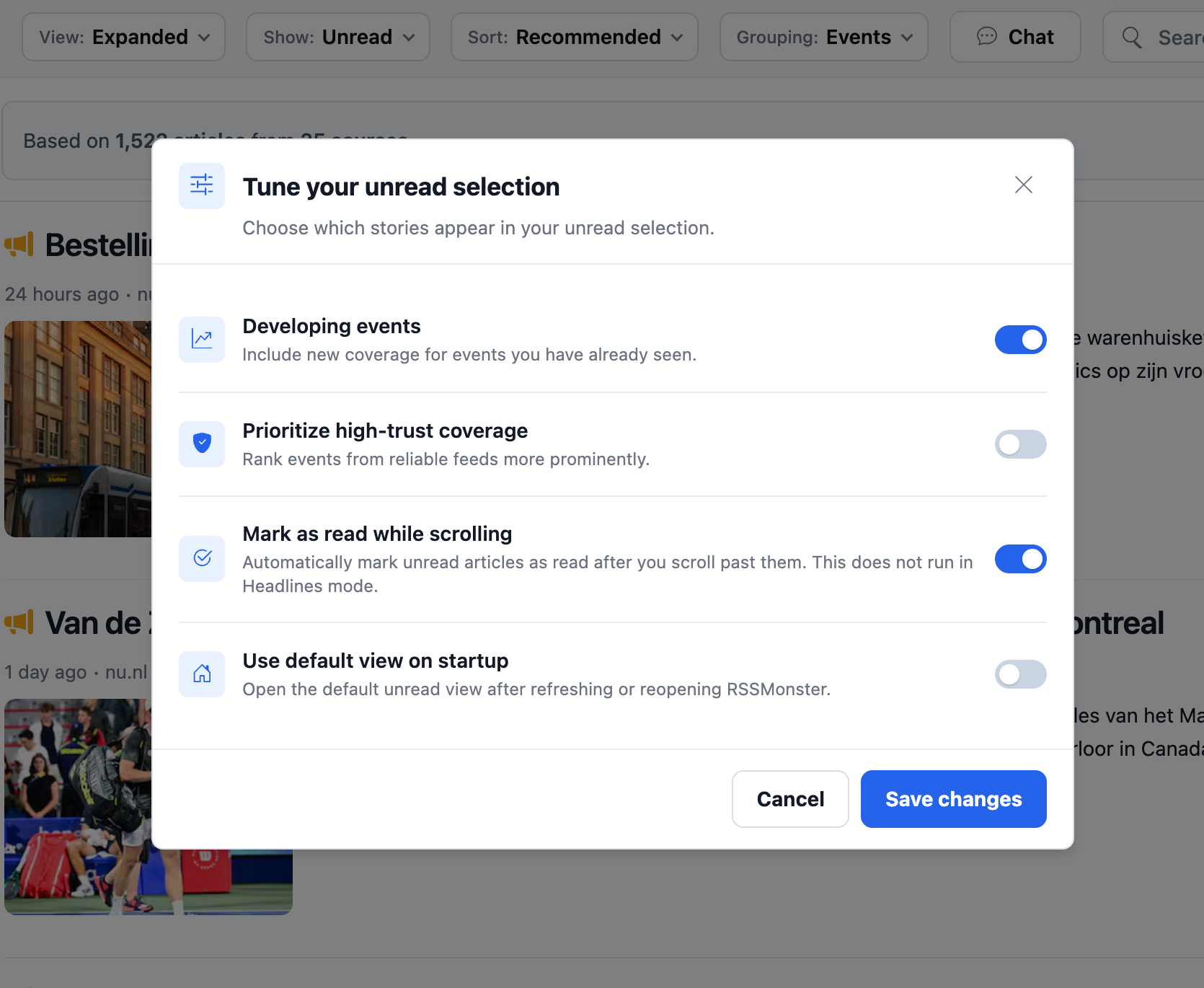
When this option is enabled, RSSMonster marks an unread article as read after it has been visible and you scroll past it above the viewport. An article that temporarily disappears below the viewport is not considered read merely because you have not reached it yet.
Disable the option if you want articles in the unread selection to remain unread while scrolling. This setting does not run in Headlines mode, where articles are presented as a compact list rather than a continuous reading stream.
Reader Mode
Reader mode displays the article list beside the selected article. Moving to a different article marks the previously selected unread article as read. This lets you work through a collection without manually changing the status of each article. Reader selection behavior is independent of the Mark as read while scrolling preference.
Keyboard shortcuts make this workflow faster:
- Press
Jor the Down Arrow to select the next article. - Press
Kor the Up Arrow to select the previous article. - Press
EnterorOto open the selected article on its original website. - Press
MorRto toggle the selected article between read and unread.
When keyboard navigation changes the Reader selection, the article you leave is marked as read and the newly selected article opens in the reader panel. The new article is not marked as read until you move away from it or explicitly toggle its status.
Shortcuts do not run while you are typing in a field, editing content, using a modified key combination, or interacting with another control.
Manual and Bulk Actions
Use an article’s read-status control when you want to mark it read or restore it to unread immediately. RSSMonster also provides collection and Reader-mode bulk actions for marking multiple articles as read, including articles above or below the current Reader selection.
These explicit actions are useful when automatic scrolling does not match how you reviewed a collection.
Other unread preferences
Tune your unread selection also controls whether to include developing-event coverage, prioritize high-trust coverage, and use the default unread view on startup. Disable Use default view on startup to use the last-used selection instead. Save changes to persist these preferences.
Daily Briefing has its own unread-only and scroll-reading preferences; changing one collection’s scroll option does not change the other’s. See Daily Briefing.