Official Feeds
Official Feeds help you recognize articles published on an organization’s own domains. You manage these domain rules in Settings → Official Sources. During crawling, RSSMonster checks an article’s URL against your enabled rules and records the matching organization. The article’s source signal is labeled Official Feed, with the organization name when available.
This is useful for identifying company announcements, product updates, and other direct sources among the wider coverage in your subscriptions. The rules belong to your account and work without AI processing.
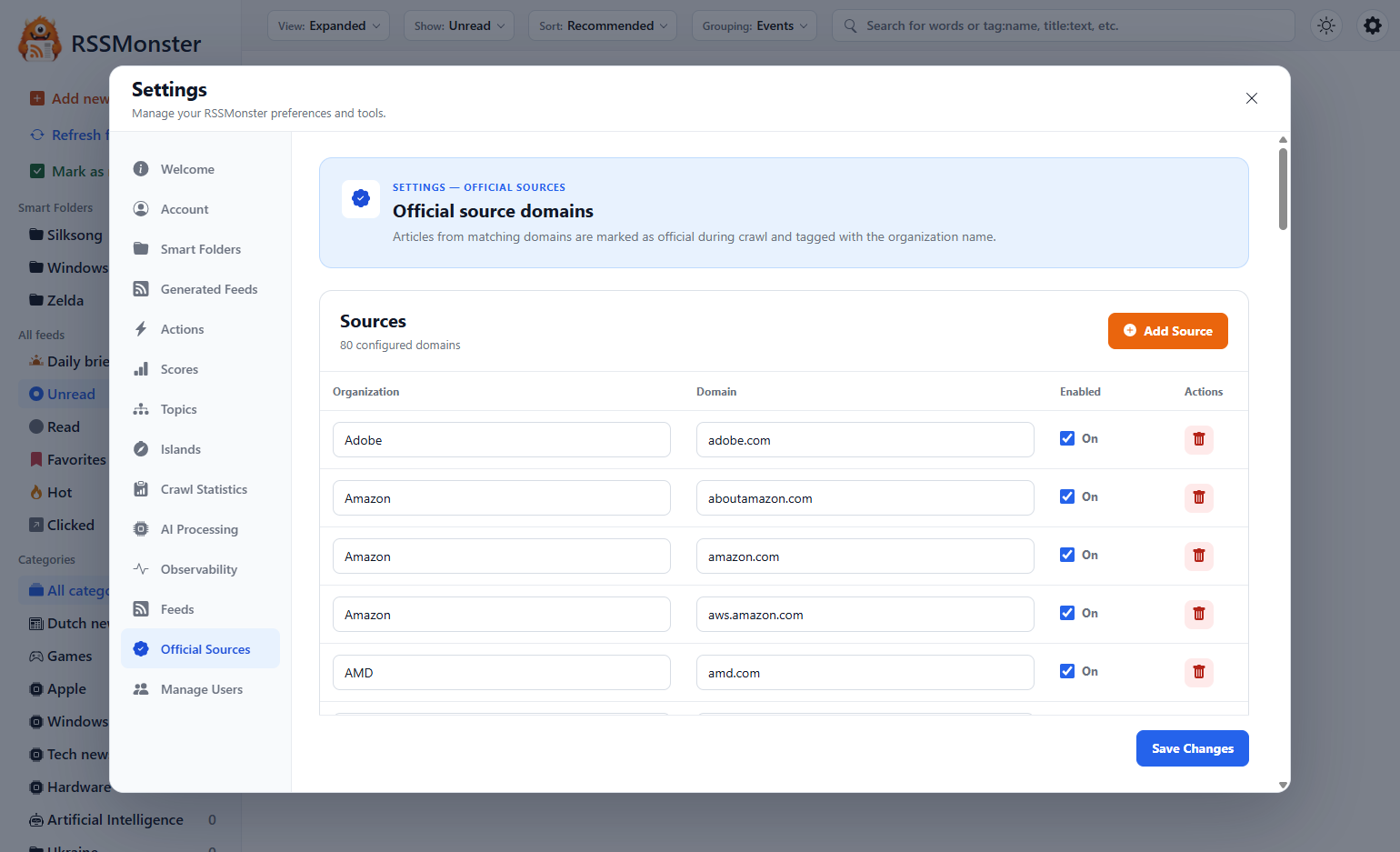
Add an official source
- Open Settings → Official Sources.
- Select Add Source.
- Enter the Organization, such as
Nintendo. - Enter its Domain, such as
nintendo.com. - Leave Enabled switched on.
- Select Save Changes.
Use a separate row for each domain an organization publishes on. Several domains can share the same organization name. Each domain has one saved configuration in your account.
Adding an official source configures how articles are recognized. Subscribe to the organization’s feed through Add new feed to receive its articles. See Feeds and Categories for subscription management.
How domain matching works
RSSMonster uses the hostname of the article’s URL. A configured domain matches both that domain and its subdomains. Domain matching ignores capitalization and a leading www.; you do not need a wildcard to include subdomains.
For a source configured as nintendo.com:
| Article URL | Matches? |
|---|---|
https://www.nintendo.com/us/news/article | Yes |
https://news.nintendo.com/article | Yes |
https://example.com/news/nintendo | No |
https://notnintendo.com/article | No |
A mention of the organization in an article’s title or body does not make it an official source. The article must link to a matching domain. Matching uses the article URL rather than the address from which the RSS feed was fetched.
Enter a domain without a path. If you paste a full URL, RSSMonster keeps its hostname, so a path such as /news/ does not limit the rule to that section. When several enabled domains match, the most specific matching domain wins. For example, news.example.com takes precedence over example.com.
What changes on an article
Matching articles are stored with an official-source indicator and the configured organization name. This supplies a source label such as Official Feed (Nintendo) in the article’s signals.
The organization name is stored as source metadata. Although the settings introduction describes organization tagging, the current crawl implementation does not automatically add it to the article’s searchable tags. Use feed tags or an Assign tag Action when you also want a tag for filtering.
Official status reflects your configured domain list. It does not verify an article’s factual accuracy or replace FeedTrust, which estimates a source’s value from article and reading signals.
Edit or disable a source
Edit the organization or domain directly in its row. Switch Enabled off to keep the configuration while excluding it from matching, or use the trash button to remove the row. Select Save Changes to persist edits, disabled states, or removals.
Rules are used when new articles and article revisions are processed during crawling. Saving the list does not reclassify the existing library immediately, and disabling or removing a source does not itself clear labels already stored on articles.